Your servers.
In your pocket.
CyberTerm is a modern SSH terminal for iPhone. Manage hosts, keys, and snippets. Protect private keys with Face ID. Drop into a real shell with a proper control-key bar.
Features
Built for real SSH work
Not a toy terminal — vaults, keys, snippets, and a keyboard that understands control sequences.
Host vaults
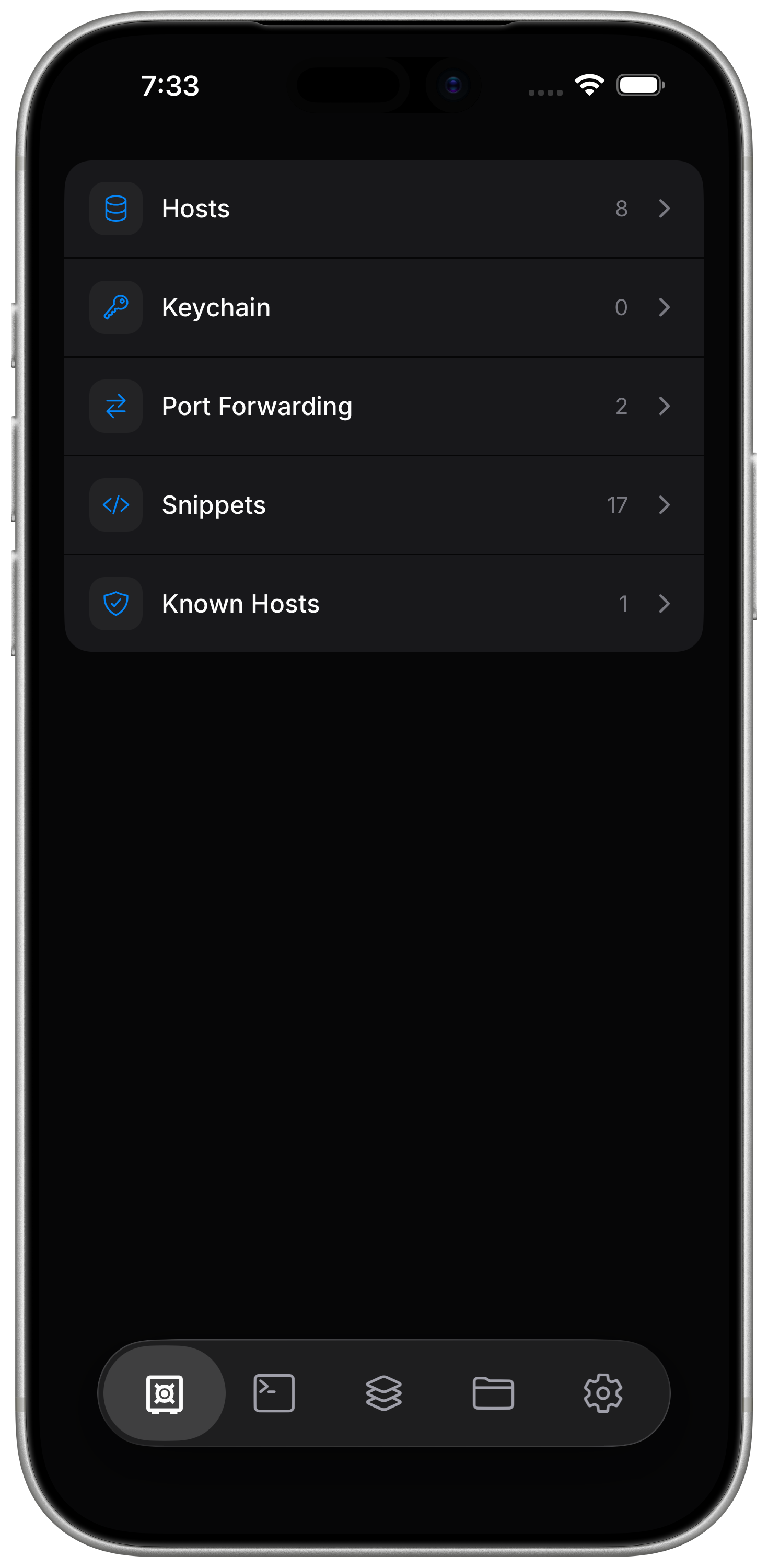
Organize servers into vaults. Search hosts, see known-host status, and connect with a tap.
SSH key management
Generate, paste, or import keys. Choose ed25519, ecdsa, or rsa — the algorithms you already trust.
Face ID protected keys
Lock private keys behind biometrics. You are prompted each time a key is used to connect.
Startup snippets
Run a saved command when the shell opens — jump into a project, start an agent, or launch Claude.
Real terminal keyboard
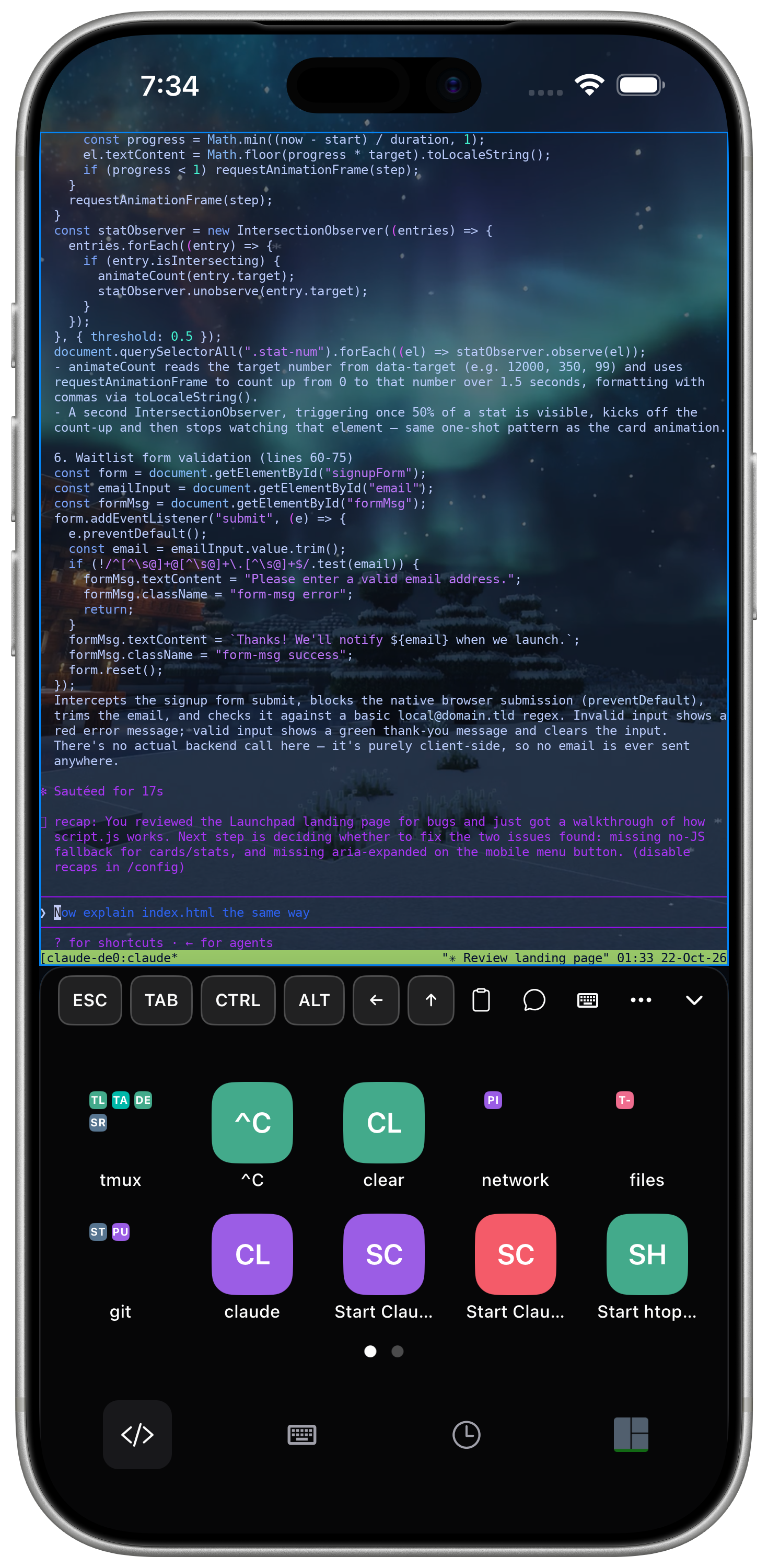
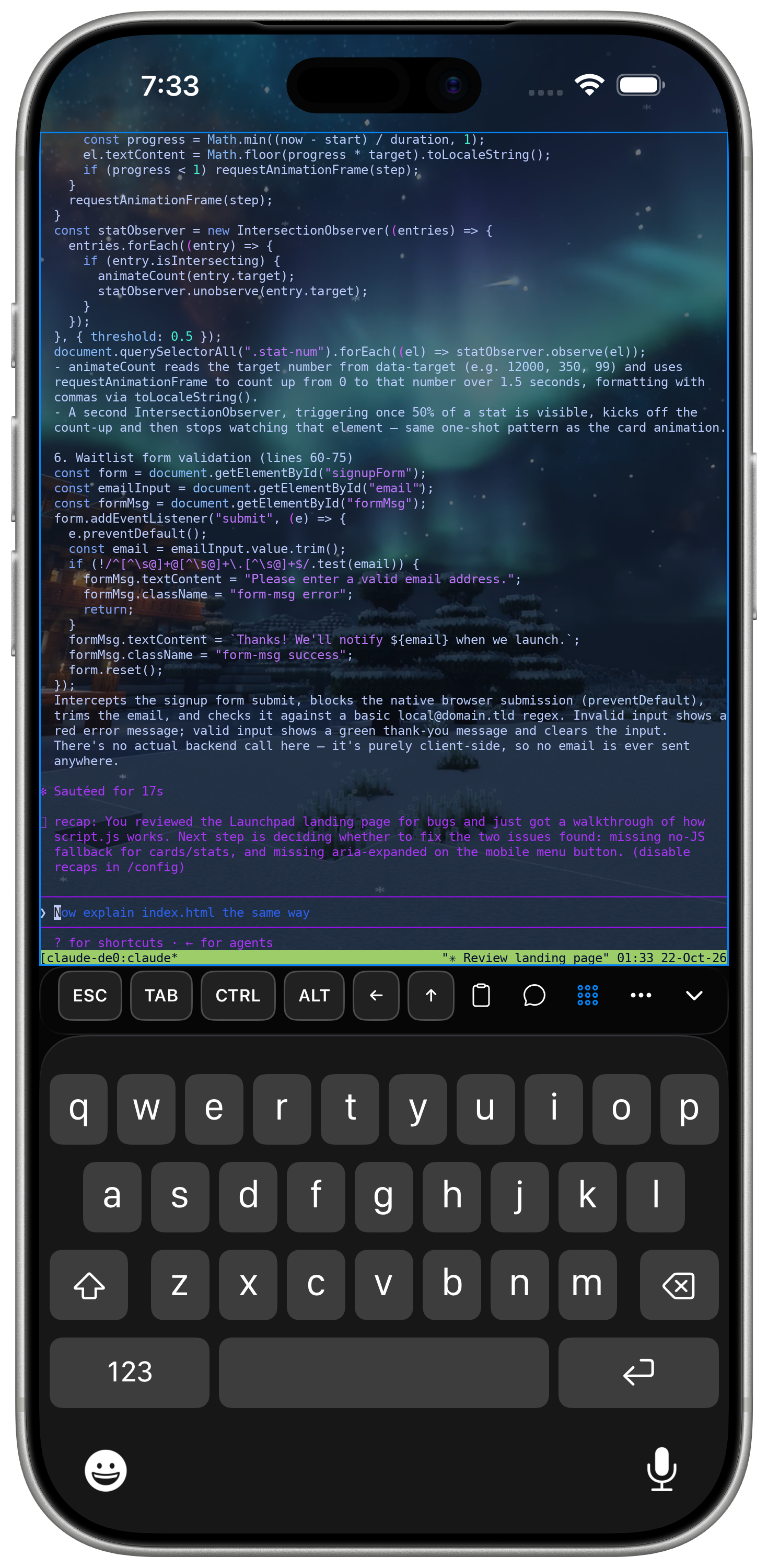
ESC, TAB, CTRL, ALT, HOME, END, and arrow keys sit above the system keyboard for full shell control.
Files alongside sessions
Switch between terminal and file browser panels without leaving the app.
Swipe between sessions
A native carousel for open terminal and file sessions — swipe between them as easily as switching apps on iOS.
Port forwarding
Local, remote, or dynamic SSH port forwards, straight from the host you are already connected to.
Operator-ready polish
Light, dark, or auto appearance. Per-host themes, charset, env vars, and password or key auth.
How it works
From vault to shell in seconds
Three steps. No desktop companion required for classic SSH — just your phone and a reachable host.
Host & key vault
Hosts, SSH keys, and snippets organized in one place. Authenticate with passwords or Face ID locked keys.
Automate with snippets
Save reusable commands and startup snippets to automatically run tmux, monitoring tools, or shell scripts on connect.
Connect and work
GPU-accelerated terminal rendering with custom wallpapers, split panes, and live port forwarding.
Screenshots
Dark. Fast. Familiar.
Native iOS, top to bottom — real gestures, a proper keyboard, and a terminal that never feels like a web page.
Security
Credentials deserve a lock screen
CyberTerm is designed for people who carry production access on their phone. Keys are first-class, biometrics are optional but recommended, and every connection goes straight to your server.
Biometric key unlock
Optional Face ID protection means private keys stay unreadable until you authorize each connection.
Keys stay on device
Generate ed25519, ecdsa, or rsa keys on the phone — or import files you already trust.
Known-host awareness
Host list shows known status so you can spot unexpected endpoints before you connect.
Straight to your server
Every connection is standard SSH. Your terminal sessions, keys and files go directly to your own computers.
Get CyberTerm for iPhone
CyberTerm is the iOS SSH terminal from the CyberKVM team. Public App Store availability is coming soon. TestFlight builds may be available to invited testers.
Requires iOS. Works with standard SSH servers.