Docs / Features / Terminal
// FEATURES
Terminal
Split panes, tmux, reconnect behavior, real shell history, and the control-key bar.
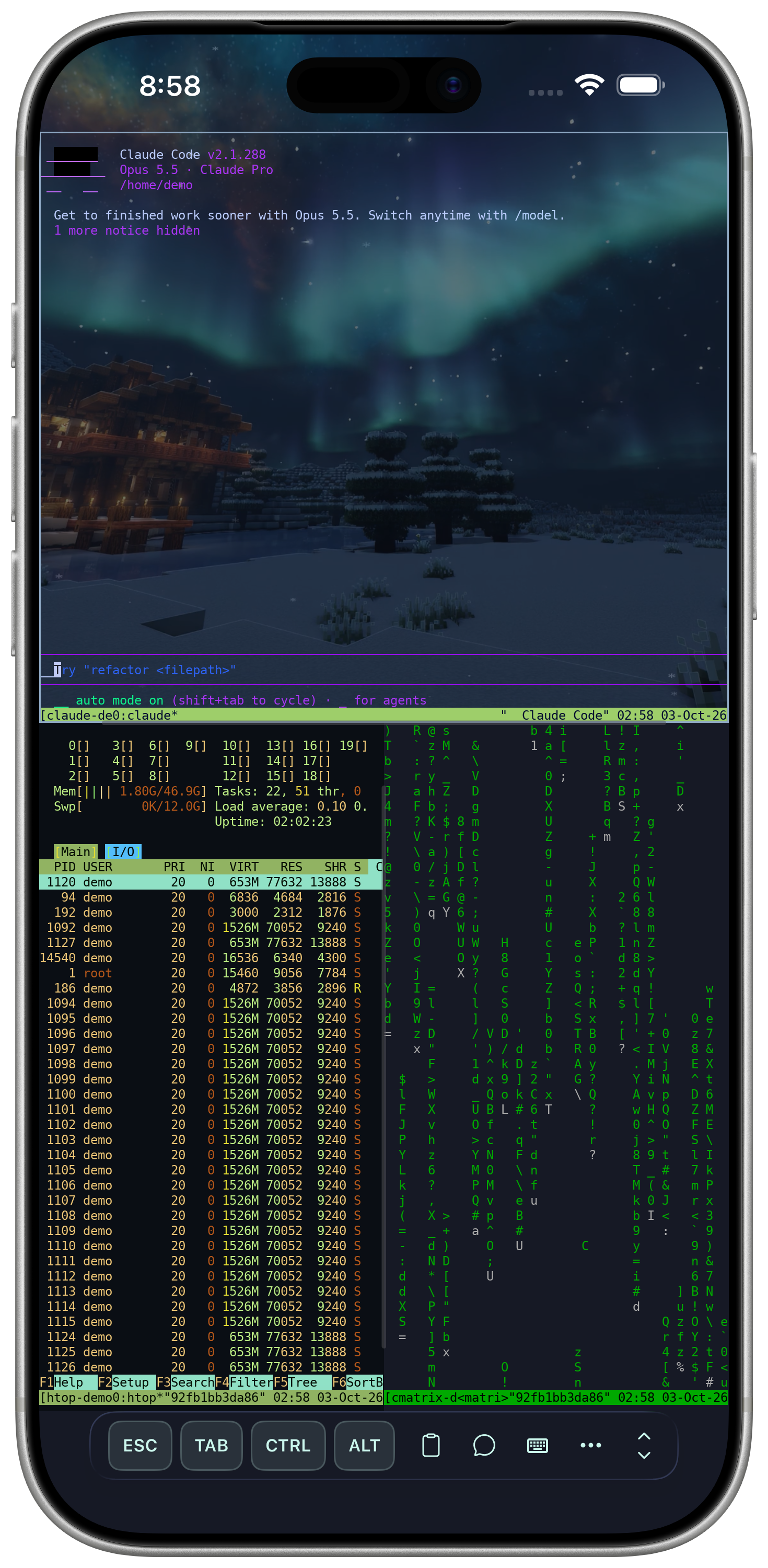
Split panes, not just tabs
Run several sessions side by side in one view — each one its own real PTY, not a mirrored copy.
Sessions & splits
A genuine PTY session rendered by a native, GPU-accelerated terminal — not a web view. Open several sessions side by side in split panes, and attach to a tmux session already running on the host instead of starting a new one. Swiping between open sessions uses the same native carousel as switching apps on iOS.
Reconnect & history
A dropped connection reconnects automatically, restoring your previous working directory. The History tab and command autocomplete read the real shell history already on the host, not just what you've typed inside the app.
Keyboard controls
ESC, TAB, CTRL, ALT, HOME, END, and arrow keys sit above the system keyboard for full control-sequence support.