Docs / Features / Computers
// FEATURES
Computers
Live stats, a task manager and a disk scan for every computer with the CyberTerm helper.
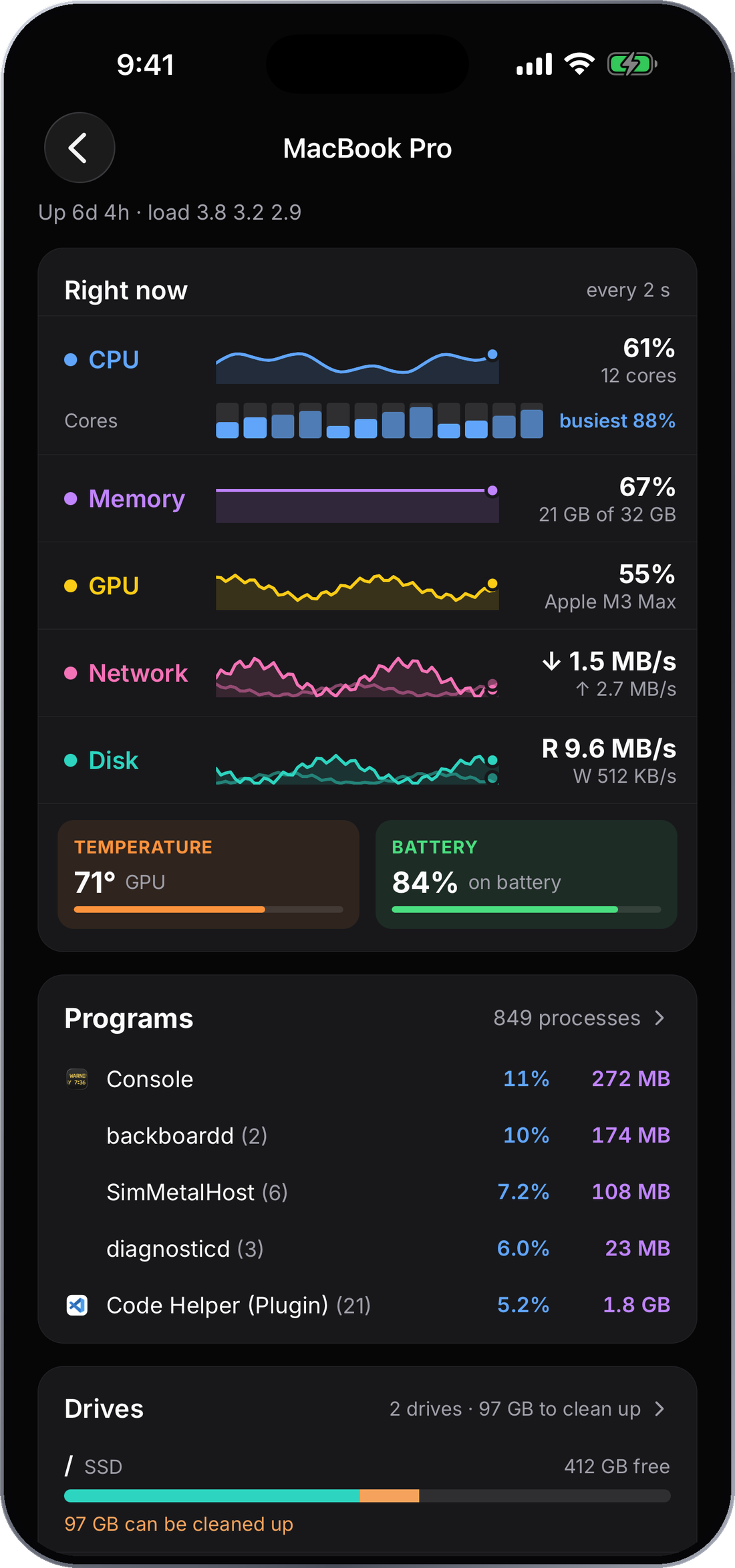
See inside any computer
Live load, every running program, and what is using the disk, from your phone.
What you need
These screens use the free CyberTerm helper on the computer, the same one Projects uses. Open the computer in the app and choose Set up CyberTerm if it isn't installed yet.
Live stats
Open a computer to see its CPU, memory, network and disk activity update as you watch, along with the temperature and battery on computers that report them.
Programs
The programs list is a task manager: every running program with its CPU, memory and disk use, sorted by whichever you tap. Search by name, window or process number.
Drives and disk scan
Drives shows how full each one is. Scan a drive to see a map of what is using it, then switch between Folders, Types and Largest. Clean up points out what can be cleared, including duplicate files.